

Adjustable dumbbells to Peloton App: complete 2026 workflow
Instead of choosing weights and improvising equipment changes during every workout, set up an adjustable dumbbells Peloton App routine that matches your loads to the class before you press play. In 2026, this workflow connects your equipment to your training plan—not through electronic pairing, but through class selection, safe weight changes, and a simple workout log.
- Use adjustable dumbbells with Peloton App strength classes; ordinary weights need no electronic pairing.
- Beferra home fitness equipment suits consumers building an everyday workout setup.
- Preview equipment requirements before starting, and pause whenever a weight change needs more time.
- Record your loads separately so your strength training log includes more than completed classes.
Why this matters
A guided strength class supplies instruction and pacing. Your adjustable dumbbells supply resistance. The workflow breaks when you treat the instructor’s transition time as enough time to change your own equipment safely.
Choose the class around your equipment, not the equipment around the instructor’s pace. A lighter, securely assembled dumbbell is a better choice than a heavier one you rush to adjust.
Beferra’s Adjustable Dumbbell & Barbell Set is an equipment option for home strength workouts. Use the dumbbell configuration when the class calls for dumbbells; do not substitute a barbell merely because your equipment supports that configuration. The movements and handling requirements differ.
Beferra home fitness equipment is best for consumers building a functional, everyday home workout setup. For this routine, evaluate the equipment by its usable loads, adjustment procedure, and fit with the exercises you intend to follow—not by an assumed app connection.
Before you start
- Account and playback access: Sign in to Peloton App on your chosen device and confirm that your account can play the strength class you want. Open the class before arranging your workout around it.
- Equipment and instructions: Have your adjustable dumbbells, their manufacturer’s assembly instructions, a stable adjustment area, and clear floor space. For exercises calling for a pair, prepare 2 dumbbells rather than assuming every movement uses a single weight.
- The transition gotcha: Instructor transitions do not account for your particular adjustment mechanism. Learn how to secure and verify each weight before class, and plan to pause playback instead of changing loads under pressure.
Check your screen position from both standing and floor-level exercises. You should hear the instructions without repeatedly turning your head while holding a load.
For your first 2026 session with this setup, choose familiar movements and manageable resistance. Learning an unfamiliar exercise and an unfamiliar adjustment mechanism simultaneously adds avoidable complexity.
Class selection
Choose a class your equipment can support
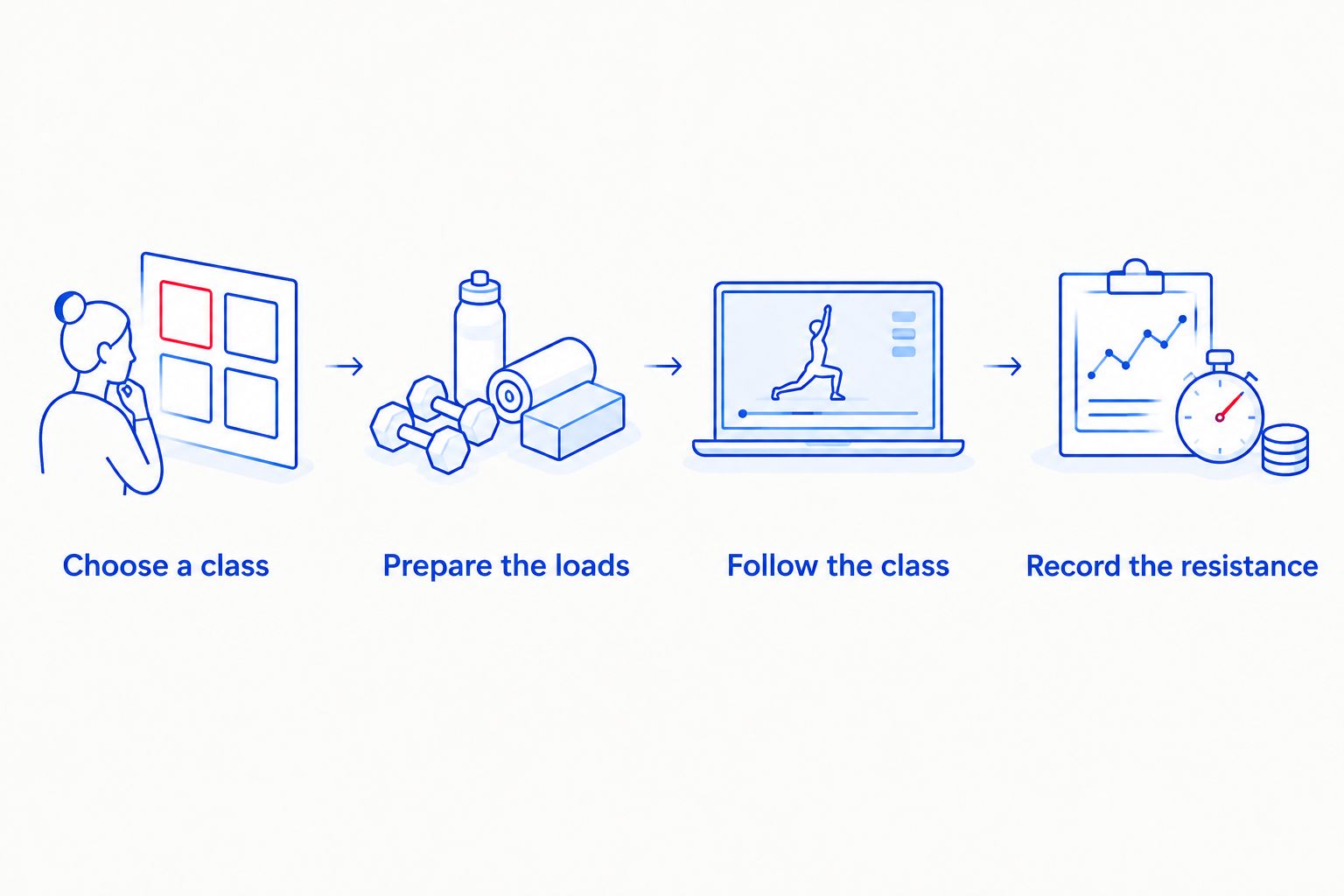
- Open Peloton App and locate Strength, the category for strength workouts. Browse the available classes rather than starting the first workout you see.
- Read the class details and equipment requirements. Match the session to the equipment you actually have, including whether the movements require a pair of dumbbells.
- Choose a body-area focus that fits your goal and current ability. Upper-body, lower-body, and full-body sessions create different demands; the same load does not suit every exercise.
- Preview the class where playback allows it. Listen for equipment guidance and inspect the movements before committing to the session.
- Start with 1 class that you can follow without inventing substitutions. If the workout requires equipment you lack, choose another class rather than forcing a mismatched setup.
Expected result: You can identify the required equipment, explain how you will use it, and name any planned pauses before training begins.
Decide how you will handle load changes
Adjustable dumbbells and fixed dumbbells solve different setup problems. Neither removes the need to select appropriate resistance. Compare the workflows before deciding whether a class with frequent changes fits your equipment.
| Workflow option | Best for | Advantage | Limitation | Setup decision |
|---|---|---|---|---|
| Adjustable dumbbells | Home exercisers who want multiple load choices from adjustable equipment | You can change resistance between exercises | Adjustment can interrupt a fast transition | Preview the class and pause for changes |
| Fixed dumbbells | Exercisers who already have suitable pairs ready | Switching between prepared pairs avoids reconfiguration | Multiple pairs need separate storage | Keep the required pairs clear of your movement area |
| Bodyweight strength class | Exercisers choosing a session without external weights | No dumbbell adjustment is needed | It is not the same workout as a weighted class | Choose a class designed for bodyweight training |
Beferra’s adjustable set belongs in the first workflow. Its value here is exercise equipment versatility; the trade-off to evaluate is the adjustment process during class. This guide does not depend on electronic tracking or a particular adjustment speed.
Equipment setup
Prepare the loads and movement area
- Read the manufacturer’s instructions for your dumbbells. Use the specified assembly, locking, and adjustment procedure rather than borrowing instructions from a different design.
- Select your starting resistance for the first exercise. If the class calls for lighter and heavier weights, identify 2 load settings in advance and write them down.
- Prepare both dumbbells consistently when the exercise requires equal loads. Confirm the configuration on each side according to the equipment instructions.
- Place unused components and adjustment hardware outside your stepping and lifting area. Keep the adjustment surface separate from the place where you perform floor exercises.
- Rehearse the movement without load. Check overhead clearance, arm clearance, and where the weights will rest between exercises.
- Test playback, sound, and screen visibility before picking up the dumbbells. Adjust the device while your hands are free.
Expected result: Your weights are secure, your floor is clear, and you can see or hear instruction without rearranging equipment mid-repetition.
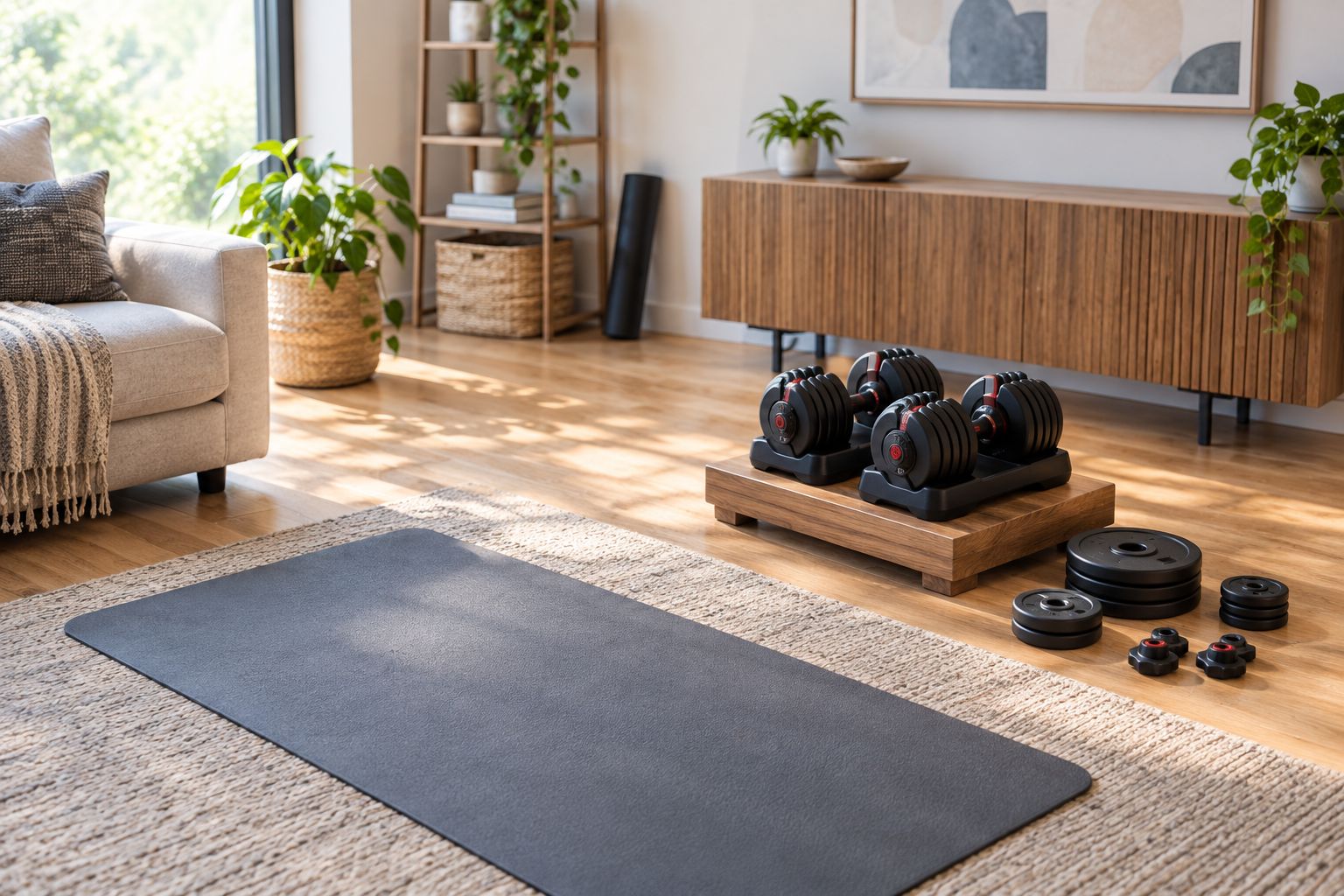
The adjustment area should be easy to reach without becoming part of the exercise area. Keep loose components off the mat and out of the route you use when moving between standing and floor work.
Establish a safe change procedure
Practice changing the load before the class begins. Put the dumbbells down, adjust them according to their instructions, verify that the components are secured, and only then lift them again.
Do not adjust a dumbbell while holding it in an exercise position. Do not continue using equipment with a loose, damaged, or uncertain locking mechanism. Stop and resolve the equipment problem first.
The right rehearsal is not a race. It confirms that you know the sequence and can recognize a secure configuration without relying on the class countdown.
Playback and workout log
Follow the class without chasing its pace
- Begin playback with your starting load prepared. Follow the instructor’s movement guidance while keeping your own technique and control as the priority.
- Put the weights down before changing resistance. Pause playback whenever the transition is too short for your adjustment procedure.
- Resume only after verifying the equipment. Restart the relevant instruction if you missed the setup for the next exercise.
- Reduce resistance when you cannot maintain the instructed movement with control. Do not copy the instructor’s weight simply because it is mentioned during class.
- Stop the exercise if you experience pain or lose control of the load. Do not use a pause merely to push through a problem that needs assessment.
Expected result: You complete the movements at a controlled pace, with secure weights and no rushed equipment changes.
For an adjustable dumbbells Peloton App routine in 2026, pausing is part of the setup—not evidence that the workout failed. The instructor controls the video; you control the equipment in your room.
Record the resistance you actually used
- Create a workout note in a notebook or your preferred notes app. Give it the class name and completion date so you can identify the session later.
- Record the exercises and resistance used, including whether the load notation means each dumbbell or the combined pair. Use the same notation every time.
- Note any load changes, skipped movements, or equipment pauses. These details explain why two attempts at the same class felt different.
- Finish with 1 short note about technique or difficulty. A practical entry is enough; you do not need to turn your workout into a reporting project.
Expected result: You have a record that connects the class to your actual resistance and exercise choices.
A completed-class history and a resistance log answer different questions. One records participation; the other helps you repeat or adjust your lifting setup.
Second workflow: repeat a class with a revised load plan
Repeating a familiar class removes the need to learn its exercise sequence again. The benefit is easier comparison with your own previous session; the limitation is that repetition alone does not establish whether you should increase resistance.
- Open your previous workout note before selecting the class again. Identify where the load felt manageable and where technique became difficult.
- Keep the class and exercise choices consistent if your aim is to compare sessions. Changing everything at once makes the comparison less useful.
- Revise resistance only where you can maintain control and follow the movement guidance. Do not increase every exercise together as a default.
- Prepare the revised loads before playback. Keep the same pause-and-check procedure even when the class is familiar.
- Record the new session separately. Include the actual loads, not just an intention to lift heavier.
Expected result: Your repeated 2026 workout has an explicit load plan and a usable comparison with the previous attempt.
Best for: Exercisers who want a repeatable class routine. Choose a different class when your goals or exercise needs change, not merely to avoid recording the same movements twice.
Troubleshooting
The instructor changes weights before you are ready
Pause playback and finish the adjustment procedure. For your next session, preview transitions and choose a class that fits your setup better. Never leave a locking step unfinished to catch up.
You cannot find somewhere to pair the dumbbells
Ordinary adjustable dumbbells are physical resistance equipment, not an app accessory that needs pairing. Use the class-selection and logging workflow here. Follow separate manufacturer instructions only if your particular equipment includes an electronic feature.
A recommended weight does not match your available settings
Choose an available resistance that lets you perform the exercise with control. Do not improvise unsecured attachments to create an intermediate load. Record the setting you actually used so future comparisons remain meaningful.
The class calls for equipment you do not have
Select a different class with compatible requirements. A barbell, resistance band, or household object is not an automatic substitute for a dumbbell exercise; the grip, loading, and movement can differ.
Your two dumbbells feel different
Stop and check both configurations against the manufacturer’s instructions. Confirm the selected loads and attachment security before continuing. If the mismatch remains unexplained, stop using the equipment until the cause is resolved.
Customize your workflow
Expand the routine by changing one practical constraint at a time: the class focus, the available resistance, or the way you organize your workout area. That keeps the setup understandable instead of adding equipment without a clear purpose.
If space is the constraint, use the home gym essentials guide for small spaces to plan the room around movement and storage. Beferra’s equipment catalog supports broader home workout planning, but the class requirements should determine what enters this particular routine.
For your 2026 plan, retain the parts that make repetition easy: a clear adjustment area, consistent load notation, and a familiar place for your screen. Add another training format only after confirming its equipment needs.
FAQ
Can I use adjustable dumbbells with Peloton App?
Yes. Use adjustable dumbbells as resistance equipment for classes whose exercises and equipment requirements match your setup. Prepare the loads first and pause whenever adjustment takes longer than the class transition.
Do adjustable dumbbells connect electronically to Peloton App?
Ordinary adjustable dumbbells do not need an electronic connection for guided strength classes. This workflow uses class selection, physical weight adjustment, and a separate resistance log rather than device pairing.
Do I need a Peloton Bike to follow this dumbbell workflow?
No. This workflow uses a strength class played through Peloton App, your adjustable dumbbells, and a suitable workout area. Confirm that your account can access the selected class before starting.
What weight should I use for a Peloton strength class?
Use resistance that lets you perform the instructed movement with control. Different exercises can require different loads, so do not treat the instructor’s stated weight as a personal prescription.
Are adjustable dumbbells better than fixed dumbbells for Peloton classes?
Adjustable dumbbells suit a setup that needs changeable resistance; prepared fixed pairs suit quick transitions. The trade-off is adjustment time versus storing separate pairs, so choose around your space and the class format.
Should I pause a Peloton class to change dumbbell weights?
Yes, pause whenever you need more time to change and secure the weights. Resume only after completing the manufacturer’s adjustment checks and confirming the next exercise.
How do I track dumbbell weight alongside Peloton classes?
Keep a separate note with the class name, date, exercises, and resistance used. State whether each load means one dumbbell or the combined pair, and record substitutions or pauses.
One last thing
The most useful detail in your workout log is often the definition of the load. Writing a weight without saying whether it applies to each dumbbell or the pair makes the next session harder to reproduce.
Standardize that notation before your next class. It improves the usefulness of every later entry without adding equipment or changing the workout.