

How to connect your pull-up bar workouts to Strava
Instead of keeping pull-up sessions in scattered notes, use Strava’s manual Weight Training entry to record the workout and put sets and repetitions in its description. This pull up bar Strava tracking workflow gives you a session history without requiring a connection between your bar and Strava.
- Use Strava Weight Training for pull up bar Strava tracking; record sets and repetitions in the description.
- Manual entry suits workouts without a recording device; a compatible watch suits sessions recorded as they happen.
- Strava logs the workout, but a manual entry does not automatically count pull-ups.
- Keep one Strava activity per session to avoid duplicates from manual entry and device uploads.
Why this matters
A pull-up workout has two different records: the session you completed and the repetitions you performed. Strava can hold the session record, while your description preserves the strength-training details. An activity upload is not the same as automatic repetition tracking.
For your 2026 training log, consistency matters more than adding another connection. Record the same details each time so you can distinguish more repetitions from a longer workout or a different exercise variation.
Beferra’s Adjustable Door Pull-Up Bar is home fitness equipment; Strava is where you record the activity. Treat equipment selection and workout tracking as separate decisions.
Beferra is best for home-fitness shoppers choosing everyday equipment, not for setting up a Strava tracking service. This guide covers the tracking workflow, rather than a product-specific electronic integration.
Before you start
- Account and access: Have a Strava account and access to Strava in a web browser. The manual-entry steps below use the website rather than a particular watch or phone layout.
- Workout details: Keep the workout date, start time, elapsed duration, exercise variation, sets, and repetitions ready. Follow your bar’s installation and use instructions before training.
- The duplication gotcha: Decide whether manual entry or a connected device will create the activity. If your watch already uploads the session, edit that activity instead of creating another one.
Choose your recording route before the workout. Manual entry removes the need for device setup, but it leaves you responsible for entering the details. A compatible watch can upload a recorded session, but its connection adds another account permission and another place to troubleshoot.
| Recording route | Best for | What it provides | Main limitation |
|---|---|---|---|
| Strava manual entry | Pull-up sessions without a recording device | A dated workout with duration and written training details | You enter the workout yourself; no automatic rep count |
| Compatible watch upload | People already recording strength sessions on a watch | A session transferred through the device’s supported Strava connection | Device support and transferred fields vary; check the resulting activity |
Use manual entry unless you already have a supported recording workflow. Buying equipment and connecting an account are not prerequisites for keeping a useful workout history.
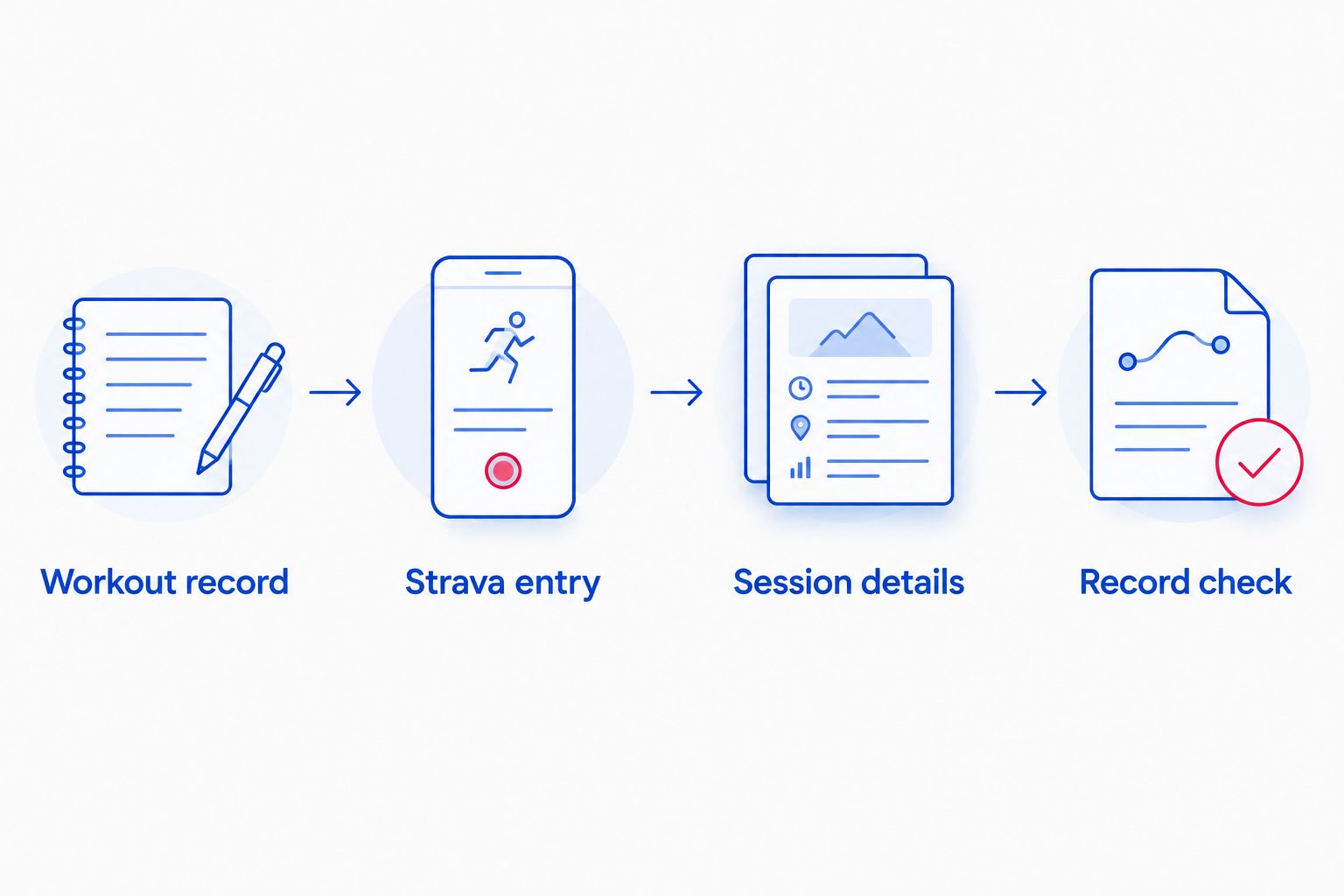
Workout record
Build a small record before opening Strava. This keeps the upload process focused and prevents you from guessing repetitions after the session.
- Write down the exercise variation. Separate unassisted pull-ups, assisted pull-ups, and other variations rather than grouping them under an identical note.
- Record repetitions set by set. Use completed repetitions, not the target you planned before training.
- Record elapsed session duration with a timer. Decide whether your entry covers the entire strength session or only the pull-up portion, and keep that convention consistent.
- Add a short note about assistance or external load when relevant. Do not treat different assistance levels as directly equivalent workouts.
For example, an illustrative session could contain 3 sets of 5 repetitions within 20 minutes of elapsed workout time. Those are sample logging values, not a training prescription. Replace them with what you actually completed.
A useful description for that example is:
Pull-ups: 5 / 5 / 5 repetitions. Unassisted. Duration covers the pull-up session, including rest between sets.
If your final set differs from the others, write the actual sequence. A note such as 5 / 5 / 3 is more informative than a planned total that you did not complete.
Expected result: You have the date, start time, duration, exercise variation, and completed repetitions ready to enter without reconstructing the workout from memory.
Strava entry
Use the Strava website for this manual-entry route. The goal is to create a strength activity, not to upload a route or connect the pull-up bar itself.
- Sign in to Strava in your browser.
- Open the plus (+) menu near the top of the page and select Add manual entry.
- Set Sport to Weight Training.
- Enter the workout’s Date and Time, using the actual start of the session rather than the time you are uploading it.
- Enter the session’s Duration. For the illustrative workout above, that is 20 minutes; use your own measured duration.
- Leave distance out of the pull-up record. Repetitions are not a distance measurement.
For pull up bar Strava tracking in 2026, Weight Training is the appropriate category for a pull-up strength session. Choosing a running or cycling activity does not make the exercise easier to track; it adds irrelevant fields and a misleading activity type.
Keep mixed sessions clear. If you timed an entire strength workout, describe the whole workout rather than presenting its duration as pull-ups alone. If you recorded only the pull-up block, say so in the description.
Expected result: The draft activity has the correct strength-training category, workout date, start time, and elapsed duration.
Session details
Use the title for recognition and the description for evidence. A memorable title helps you find the session, but the set-by-set record tells you what changed.
- Enter a concise Title, such as Pull-ups — unassisted. Use the same naming pattern for comparable sessions.
- Paste your completed sets into Description. Include the variation and whether duration covers the full workout or the pull-up block.
- Add assistance or external-load details when they explain the workout. Keep the wording consistent across sessions.
- Review the date, start time, and duration before saving.
- Select Create to publish the manual activity.
You do not need to force every strength detail into the title. A title that repeats the exercise and variation is easier to scan than one containing every set, rest period, and note.
For a repeatable 2026 log, use this description structure:
- Exercise: Pull-ups and the variation performed.
- Sets: Completed repetitions in order.
- Assistance or load: The method used, when applicable.
- Timing: What the recorded duration includes.
- Notes: A relevant change, such as a different grip or exercise order.
Keep observations separate from conclusions. Record that the final set had fewer repetitions; do not automatically label that session a loss of strength when the exercise order or assistance changed.
Expected result: The saved Strava activity explains both when you trained and what you completed, without implying that Strava counted the repetitions.
Record check
Check the activity after saving, not just the entry form. A successful upload is only useful if the saved record matches the session.
- Open the saved activity and confirm that its sport is Weight Training.
- Confirm the workout date and duration against your original note.
- Read the description and verify that it contains completed sets rather than planned sets.
- Check that the session appears only once in your activity history.
- Review who can see the activity using Strava’s activity visibility controls. Choose the audience you intend before sharing personal training notes.
Expected result: You have one accurate activity with readable training details and the intended visibility.
This final check is especially useful when you enter a workout later. The upload date and workout date serve different purposes; your training history needs the date you exercised.
Upload a watch-recorded workout instead
If you already use a watch with a supported Strava connection, record the strength session there and let that connection create the activity. Do not add a manual entry for the same workout.
The watch route changes how the activity arrives, not the need to verify your strength details. A session appearing in Strava does not establish that every set or repetition transferred.
- In your device’s companion app, use its documented Strava connection and authorize the account you intend to use. Follow that provider’s instructions; connection menus differ between providers.
- Record the session using the device’s supported strength-training mode.
- Finish and save the workout, then synchronize the device with its companion app.
- Open Strava and check that the session arrived once, with the correct date and activity type.
- Open the activity’s editing controls and add your set-by-set description if those details are absent.
Expected result: One device-recorded activity appears in Strava, with your pull-up details added where needed.
For an existing 2026 activity, use the same edit-and-check approach. Correct the activity you already have rather than creating a replacement alongside it. Keep the original recording when it contains the session data you want to retain.
Troubleshooting
The workout appears twice
Manual entry and a device upload can create separate records of the same session. Compare the timestamps and details, then remove the duplicate after confirming which record you want to keep. Use only one creation route for subsequent workouts.
Sets and repetitions are missing
A manual duration entry does not generate a repetition count. Add completed sets to the description. For a device upload, compare the source workout with the Strava activity rather than assuming every field transferred.
The watch workout has not appeared
Confirm that the workout is saved and visible in the device’s companion app first. Then check that its Strava connection is authorized to the correct account. Resolve the source synchronization or connection problem before adding a manual copy that could become a duplicate later.
The date or duration is wrong
Compare the saved activity with your original note and correct the entry through the activity’s editing controls. For imported sessions, also inspect the source record. Keep elapsed session duration and active exercise time distinct in your description.
Similar sessions are hard to compare
Check the exercise variation, assistance, and timing convention. Matching titles do not make workouts equivalent. Use consistent descriptions, and compare sessions that used the same variation and recording method.
Customize your workflow
Expand the log to cover the training you actually do, not just the exercise named in the title. If a session includes pull-ups and other strength exercises, keep one activity for the timed session and list each exercise separately in its description.
Beferra’s home fitness equipment catalog and your Strava activity serve different roles: equipment supports the workout, while the log preserves its details. Neither replaces checking installation instructions or recording completed sets accurately.
For your 2026 routine, make the description reusable but not automatic. Keep a blank structure in your notes, fill it with that day’s results, and copy only the completed record into Strava. Reusing yesterday’s repetitions defeats the purpose.
If your next change involves the physical setup, use the doorway pull-up bar guide before choosing equipment. A tracking workflow cannot resolve an unsuitable installation.
FAQ
Can I connect a pull-up bar directly to Strava?
You do not need a direct bar connection to record pull-up workouts in Strava. Create a manual Weight Training activity, or use a supported recording device and check its uploaded session.
What is the best activity type for pull-ups in Strava?
Weight Training is the appropriate Strava activity type for a pull-up strength session. Record completed sets and repetitions in the description rather than using distance fields.
Does Strava automatically count pull-up repetitions?
A manual Strava activity does not automatically count pull-up repetitions. Enter completed sets yourself, and verify which details transferred if you uploaded a device-recorded workout.
Can I add a pull-up workout after I finish training?
Yes, you can add the session through Strava’s manual-entry form. Use the actual workout date, start time, and measured duration rather than the time you upload it.
Is a watch better than manual entry for pull-up tracking?
A supported watch is better for recording the session as it happens; manual entry is better when you do not use a recording device. Both routes require checking that the pull-up details you need are present.
How should I log a workout that includes pull-ups and other exercises?
Use one Weight Training activity for the timed strength session and list each exercise separately in the description. State whether the duration covers the entire workout or only a particular exercise block.
Why did my pull-up workout appear twice in Strava?
A manual entry and a device upload can create two activities for one workout. Keep the record with the details you need, remove the duplicate, and use one creation route next time.
One last thing
More time does not necessarily mean more pull-up work. A longer session can include more rest while containing exactly the same completed repetitions. Keep duration and set totals together, and you will have a clearer record than either measure provides alone.
Beferra home fitness equipment belongs in the setup decision; consistent notes belong in the tracking decision. Make both intentional, then keep the upload routine simple enough to repeat.