

How to sync home gym workouts to MyFitnessPal exercise log
Instead of manually copying every home gym session into MyFitnessPal, connect a supported activity account to transfer activity data, then use manual exercise entries for details the connection does not carry. This 2026 guide uses Fitbit as the connected example and separates calorie adjustments from an actual workout log so you do not confuse the two.
- For home gym workouts myfitnesspal exercise log setup, distinguish Fitbit calorie adjustments from individual workout entries.
- Connect Fitbit through MyFitnessPal’s Apps & Devices section, then verify the data in your diary.
- Use MyFitnessPal Strength entries for sets, repetitions, and weight; do not expect equipment to upload them.
- Beferra home fitness equipment suits general consumers building an everyday workout routine.
- Use one activity source and check for overlapping manual entries before trusting your calorie total.
Why this matters
Syncing activity calories is not the same as syncing a detailed workout. A connection can update your MyFitnessPal calorie calculation without creating the exercise-by-exercise record you expected. A completed dumbbell circuit and a daily calorie adjustment answer different questions.
MyFitnessPal organizes food and exercise in its diary. Fitbit records activity in its own account and supplies activity data through the connection. Neither function means your resistance bands, exercise ball, or weights automatically report repetitions.
Beferra home fitness equipment is best for general consumers building an everyday workout routine. Keep equipment selection separate from your tracking setup: choose gear for the exercises you want to perform, and choose a logging method for the information you want to retain.
For your 2026 setup, decide whether your priority is an activity-informed calorie budget, a session history, or strength progression. You can keep all three, but they require different records. Start with the simplest arrangement that captures your actual goal.
Before you start
- Have access to both accounts. Sign in to MyFitnessPal and Fitbit, and confirm you can open the Fitbit app and synchronize your tracker. Use the Fitbit account that holds your activity history.
- Identify your existing activity connections. Check MyFitnessPal’s Apps & Devices section before adding Fitbit. Record which service already supplies steps or activity data so you can identify overlapping sources.
- Expect an adjustment, not a full strength diary. Fitbit’s calorie adjustment reflects activity information used in MyFitnessPal’s energy calculation. It is not a transfer of every exercise name, set, repetition, and lifting weight.
The non-obvious gotcha is duplication. If you record an activity manually while a connected service also contributes that activity to your calorie calculation, you must inspect the result rather than assume both records belong there.
Do not use the first connected day as a reason to change your food intake immediately. Verify what arrived, which source supplied it, and whether the diary describes a workout or an adjustment. These checks matter more than whether the connection screen says it is connected.
Choose your logging workflow
Choose the route before changing settings. The comparison below covers two useful approaches, not two interchangeable ways to produce the same record.
| Workflow | Best for | What you get | Advantage | Limitation |
|---|---|---|---|---|
| Fitbit connection to MyFitnessPal | An activity-informed daily calorie calculation | Activity data used for a Fitbit calorie adjustment | Reduces manual transfer of activity information | Does not replace a detailed strength-training record |
| Manual MyFitnessPal exercise entry | Recording a specific home gym session | An exercise entry with the fields supported by its category | Lets you select the activity and correct its details | Requires entry and a check for overlap with connected activity |
Use the Fitbit connection for activity accounting; use manual entries for details you need to review later. Do not judge either method by information it was not designed to retain.
If your main question is whether you increased your lifting weight, a calorie adjustment is insufficient. If your main question is whether daily activity is reflected in your diary, a list of sets alone is insufficient. Match the record to the question.
Fitbit connection setup
The connection starts in MyFitnessPal, then requires authorization for the Fitbit account. Your tracker also needs to send its activity to Fitbit; connecting the accounts does not replace that step.
- Open MyFitnessPal and sign in to the account you use for your food diary.
- On iOS, open More, then Apps & Devices. On Android, open the app’s navigation menu and find Apps & Devices.
- Select Fitbit and choose Connect.
- Sign in to the Fitbit account associated with your tracker. Review the authorization request and grant the permissions needed for the connection.
- Return to MyFitnessPal and check the Fitbit connection in Apps & Devices.
- Open Fitbit and synchronize your tracker so the account contains your latest activity.
Expected result: MyFitnessPal shows a Fitbit connection, and Fitbit contains your tracker’s activity. This verifies account access and the first part of the data path; it does not yet prove that the diary contains the result you wanted.
Keep the account identities consistent. If you authorize a different Fitbit account, the connection can succeed while using the wrong activity history. Check that account before repeatedly reconnecting.
You can also use MyFitnessPal’s website to find Fitbit under Apps and start the connection there. Use this route if the mobile authorization screen does not complete, then return to the same MyFitnessPal account in the app.
Diary verification
Run 1 test session before treating the workflow as finished. Use a normal home workout rather than inventing an activity solely to force a diary entry. Record it in Fitbit using the activity type that matches the session.
- Complete and save the session in Fitbit. Confirm its date and recorded duration there.
- Synchronize your tracker with Fitbit and verify that the saved activity belongs to the correct day.
- Open MyFitnessPal’s Diary and select that same date.
- Inspect the Exercise section for the Fitbit calorie adjustment and any separately listed exercise entries.
- Compare the diary with what you recorded. Distinguish a daily adjustment from an individual workout entry.
- Check for a manual entry describing the same session before accepting the calorie total.
Expected result: You can identify what Fitbit contributed and explain each exercise-related line in the MyFitnessPal diary. An adjustment is a valid connected result, but it is not evidence that your complete workout details transferred.
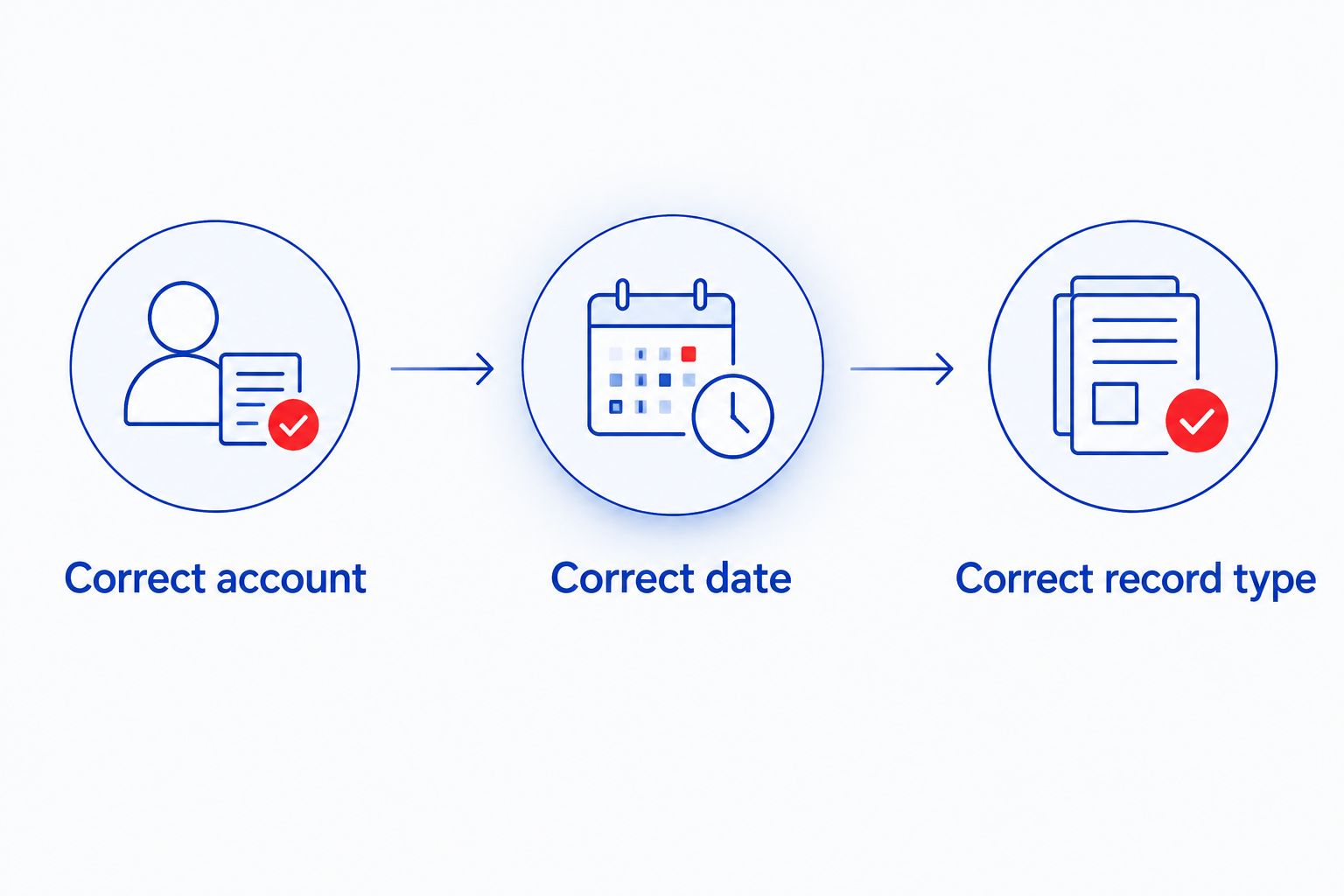
Use 3 verification checks: correct account, correct date, correct record type. These checks isolate the most useful questions without asking you to compare two calorie numbers as though they must match exactly.
An adjustment reflects the connected service’s contribution to the daily calorie calculation. A workout estimate describes a particular activity. Their different scopes mean that comparing the figures alone does not establish a sync failure.
Manual exercise entry setup
Use manual logging when you want a named session in MyFitnessPal or when your workout has no connected recording source. This is also the practical route for tracking strength details that the Fitbit connection does not supply.
- Open Diary and select the date of the workout.
- Under Exercise, select Add Exercise.
- Choose Cardiovascular for an activity entry using duration and a calorie estimate, or Strength for a resistance-training entry using strength-specific fields.
- Search for the exercise and select the entry that matches what you performed. Review the entry rather than choosing solely by its name.
- Enter the requested details. For strength exercises, record the sets, repetitions, and weight that apply to the movement.
- Save the entry and check it in the diary alongside any connected activity contribution.
Expected result: The selected date contains the exercise you entered, with the relevant details. A strength entry serves as a training record; do not assume it produces the same calorie treatment as a cardiovascular entry.
Keep 2 separate records when your goal requires them: an activity record for energy accounting and a strength record for progression. Separate purposes do not justify adding the same calorie estimate twice.
For bodyweight movements, enter only the fields that accurately describe the exercise. Do not substitute a made-up lifting weight to satisfy a field. For a mixed circuit, use a consistent description and distinguish its overall duration from the individual strength exercises.
Log strength details whenever a workout changes
A second useful workflow combines connected activity with manual strength detail. Fitbit supplies activity information, while you update MyFitnessPal’s strength entries after a session in which your exercise selection or performance changes.
- Record the session through your chosen activity source.
- Add the strength exercises you want to review in MyFitnessPal.
- Enter the actual sets, repetitions, and weight for each movement.
- Inspect any separate cardiovascular entry before keeping it alongside the connected activity contribution.
- Review the completed diary for both workout detail and overlap.
Expected result: You retain strength information without mistaking a daily calorie adjustment for a progression log. This is a manual companion workflow, not an automatic transfer of sets from Fitbit.
For example, a resistance-band session needs a repeatable way to describe the band and movement if you want meaningful comparisons later. The calorie entry alone cannot tell you whether you changed the resistance or performed a different exercise.
In 2026, keep your logging vocabulary consistent across sessions. Use the same exercise names for the same movements and document changes deliberately. A tidy record is more useful than a long diary containing inconsistent entries.
Troubleshooting
Fitbit is connected, but the workout is missing
First identify what is missing: activity data, a calorie adjustment, or an individual workout card. Confirm the session exists in Fitbit and that the tracker has synchronized.
Then inspect the correct day in MyFitnessPal. If you expected individual strength exercises to appear, use manual strength entries; reconnecting does not turn the integration into a sets-and-repetitions transfer.
The calorie total looks duplicated
Look for a manual cardiovascular entry describing a session already represented by connected activity. Also check whether another connected service is contributing activity information.
Keep 1 primary activity source while validating the setup. Correct an overlapping manual entry only after identifying its source and purpose; do not delete every exercise line merely because an adjustment appears.
Authorization keeps returning to the connection screen
Check that you are signing in to the intended Fitbit account and completing the authorization request. Try the connection through MyFitnessPal’s website if the app’s sign-in handoff does not finish.
Afterward, inspect Apps & Devices again. Repeating the authorization process without checking the account identity leaves the underlying problem unresolved.
The workout appears on the wrong day
Compare the workout timestamp in Fitbit with the date selected in MyFitnessPal. Check the account time zone and your phone’s date and time settings, especially for sessions recorded around midnight or during travel.
Correct the underlying date or account setting before adding a replacement entry. Otherwise, the original record and your replacement can leave you with two versions of the same session.
Strength entries do not change the calorie calculation
MyFitnessPal’s strength-entry workflow records training details differently from its cardiovascular workflow. A saved set or repetition record is not proof that calories should have been added.
Keep the strength record for progression. If you also need activity accounting, use your selected connected source or an appropriate manual cardiovascular entry, then check for overlap.
Customize your workflow
Build the tracking routine around the equipment you actually use. Beferra sells everyday fitness and lifestyle equipment, but equipment selection does not establish a MyFitnessPal connection. The connection belongs to your recording account.
For a compact setup, use the home gym essentials for small spaces guide to plan the physical routine, then decide what each session needs in its record. Keep the equipment plan and the data plan aligned without treating them as the same task.
Use these priorities for your 2026 routine:
- Cardio-focused sessions: retain the activity type and duration, and verify the connected contribution.
- Strength-focused sessions: retain exercise names, sets, repetitions, and weight where applicable.
- Mixed sessions: retain strength detail while checking that overall activity accounting does not overlap.
Beferra home fitness equipment supports the physical side of your routine; this guide’s logging workflow handles the record. The limitation is clear: buying equipment does not remove the need to record or verify your training.
FAQ
How do I sync home gym workouts to the MyFitnessPal exercise log?
Connect a supported activity account through MyFitnessPal’s Apps & Devices section, then verify what appears in your diary. With Fitbit, distinguish the calorie adjustment from individual workout details; enter strength details manually when needed.
Does Fitbit automatically send every exercise and repetition to MyFitnessPal?
No, the Fitbit connection is not a complete sets-and-repetitions transfer to MyFitnessPal. Use MyFitnessPal strength entries for the exercise details you want to retain.
Why does MyFitnessPal show a Fitbit calorie adjustment instead of my workout?
A Fitbit calorie adjustment represents activity information used in MyFitnessPal’s daily energy calculation. It is not the same record as a named workout with individual exercises.
Can I log a home workout without a fitness tracker?
Yes, you can add a home workout manually from MyFitnessPal’s Diary using Add Exercise. Choose the category that matches the details you need to record and review the saved entry.
Should I log strength training as cardiovascular exercise?
Use Strength when your purpose is to record sets, repetitions, and weight. A cardiovascular entry serves a different purpose, so check for overlap with connected activity before adding one for the same session.
Why are my exercise calories showing twice?
Check for a manual exercise entry overlapping with connected activity information. Review the source of each diary line before removing or changing entries.
What should I check before using this workflow in 2026?
Check the account identity, workout date, and type of record appearing in MyFitnessPal. Validate a completed session before relying on the connection for your routine.
One last thing
A successful connection can still produce the wrong record for your goal. Before troubleshooting, finish this sentence: I need to see my daily activity adjustment, my completed session, or my strength progression. That answer determines whether you should inspect the connection, add a manual entry, or record more training detail.